
Dr. Driving Game: 7 Exciting Features and Ultimate Driving Guide
Aug 25, 2025Size
20 MB VariableVersion
1.73Requirements
Android 6.0 and upDownloads
500,000,000+Get it on

Description
Dr. Driving Game is a popular mobile driving simulation that focuses on vehicle control, driving challenges, and everyday road skills rather than traditional high-speed racing alone. Developed by SUD Inc., the game has attracted a large audience with its simple controls, compact gameplay sessions, and a variety of driving experiences.
Unlike racing games that mainly focus on reaching the finish line first, Dr. Driving encourages players to improve their driving performance while completing different challenges. Players can earn in-game rewards, explore available vehicles, and enjoy online multiplayer when they want to compete with others.
The game remains a familiar choice for people who enjoy casual driving simulations on mobile devices. According to its Google Play listing, it has more than 500 million downloads, supports offline single-player gameplay, and offers online multiplayer through Google account sign-in.
In this guide, we cover the main features of Dr. Driving, its Android requirements, offline availability, online gameplay, PC options, and the differences between Dr. Driving and Dr. Driving 2.
Index: Dr. Driving Game
What Is Dr. Driving Game?
Dr. Driving is a mobile driving simulation developed by SUD Inc. It was released in June 2013 and became widely recognized for its straightforward driving mechanics and accessible gameplay.
The game gives players a different experience from conventional racing titles. Instead of focusing entirely on speed, it emphasizes controlling a vehicle and completing driving-related challenges. Its simple presentation makes it approachable for casual players who want a driving game without complicated controls.
Dr. Driving includes single-player gameplay and an online multiplayer option. Players can progress through the available activities, earn in-game currency, and use their rewards to explore different vehicle options.
The game also includes advertisements and optional in-app purchases. Players can enjoy its basic driving experience without treating purchases as a requirement.
Its long-standing popularity makes Dr. Driving an interesting option for players who prefer simple mobile simulations over more demanding racing games.
Dr. Driving Gameplay Explained
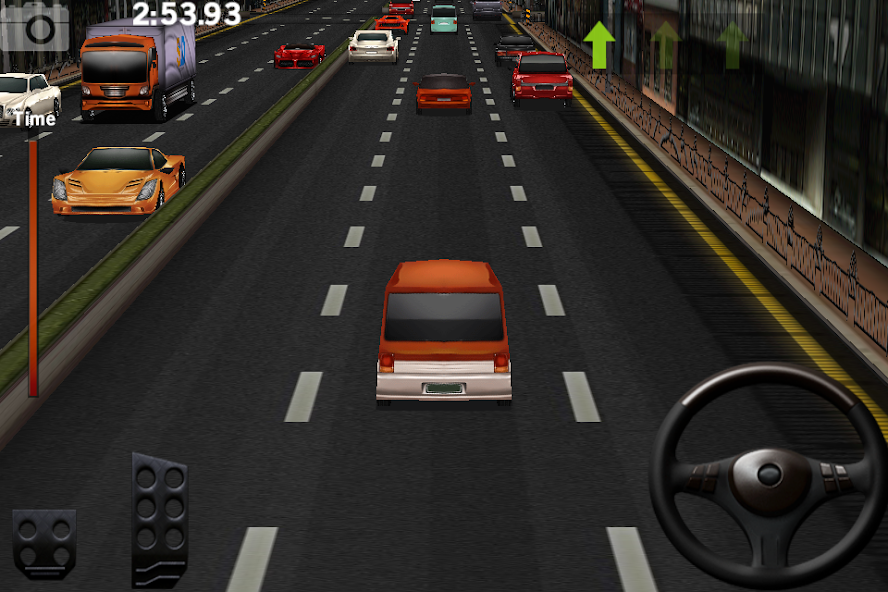
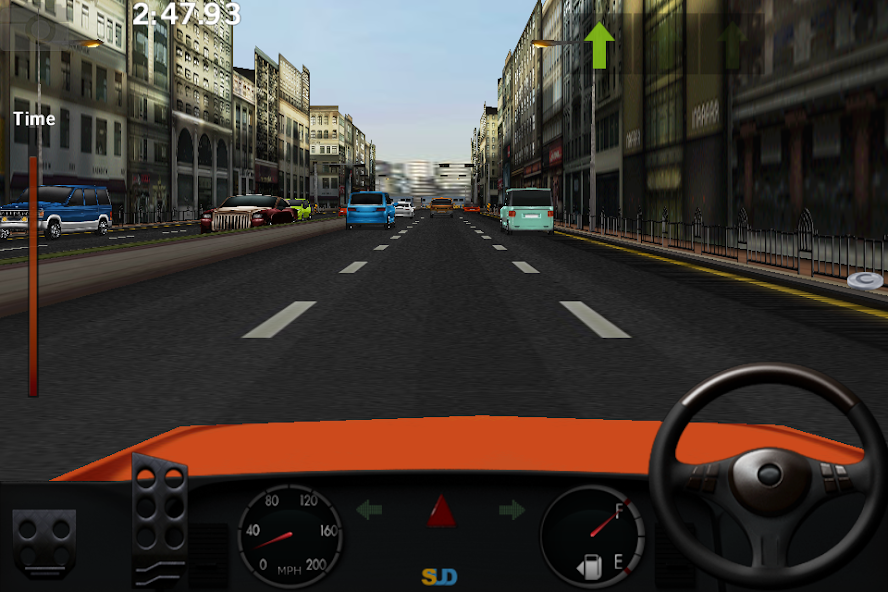
The gameplay in Dr. Driving game revolves around controlling a vehicle and completing driving challenges. Players use on-screen controls to steer, accelerate, and manage their movement through the environment.
Driving successfully requires attention to vehicle handling and the objectives of each activity. Rather than simply holding the accelerator and racing at maximum speed, players need to pay attention to how they control their car.
Different activities provide variety, allowing players to work on driving performance and earn rewards. The game also offers a progression system that gives players reasons to continue playing and explore additional vehicles.
Another part of the experience is multiplayer. Players who sign in with a Google account can access the game’s online multiplayer feature, subject to availability and connection requirements.
Dr. Driving also supports offline single-player gameplay, making it useful when an internet connection is unavailable. Online features, however, require connectivity.
7 Exciting Features of Dr. Driving Game
1. Mission-Based Driving Challenges
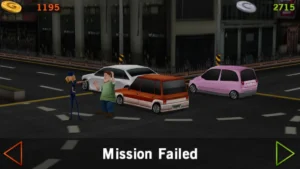
Dr. Driving offers driving-focused activities that give players objectives beyond simply finishing a race.
These challenges encourage players to pay attention to vehicle control and complete the assigned tasks. The exact objective depends on the selected activity, so players can experience different types of driving rather than repeating a single racing format.
Mission-based gameplay also gives the progression system a clear purpose. Completing activities can help players earn in-game rewards, which they can use as they continue exploring the game.
This structure suits players who prefer short challenges that can be completed in individual sessions. It also provides an alternative to racing games built entirely around speed and competition.
2. City Driving Experience
The driving simulation format is another important part of Dr. Driving.
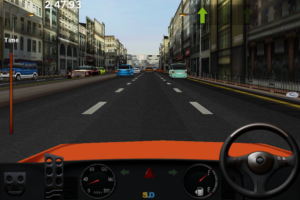
Players control their vehicles through driving environments while concentrating on the task at hand. The experience is designed around vehicle handling and completing objectives rather than offering a large open world for unrestricted exploration.
This makes the game different from open-world driving simulators, where players can freely travel across extensive maps.
The city-driving concept also works well with the game’s simple controls. Players can focus on steering and movement without needing to learn a complicated control system before starting.
Although the presentation is relatively simple compared with modern high-end racing games, its accessible approach remains part of its appeal.
3. Parking and Driving Skills
Driving challenges can reward careful control rather than speed alone. Parking-focused activities are also associated with the broader Dr. Driving game experience.
Players who enjoy these tasks may appreciate the attention required to control a car accurately. Successful driving involves understanding movement and responding to the objective instead of accelerating continuously.
This style of gameplay can make a mobile driving game feel more varied. Players who prefer precision-based challenges may enjoy it more than a conventional race focused only on reaching the finish line.
Remember that the game is a simulation for entertainment. Its mechanics should not be treated as a substitute for real-world driving lessons or road-safety training.
4. Different Cars and Driving Options
Vehicle variety adds another layer to the Dr. Driving experience.
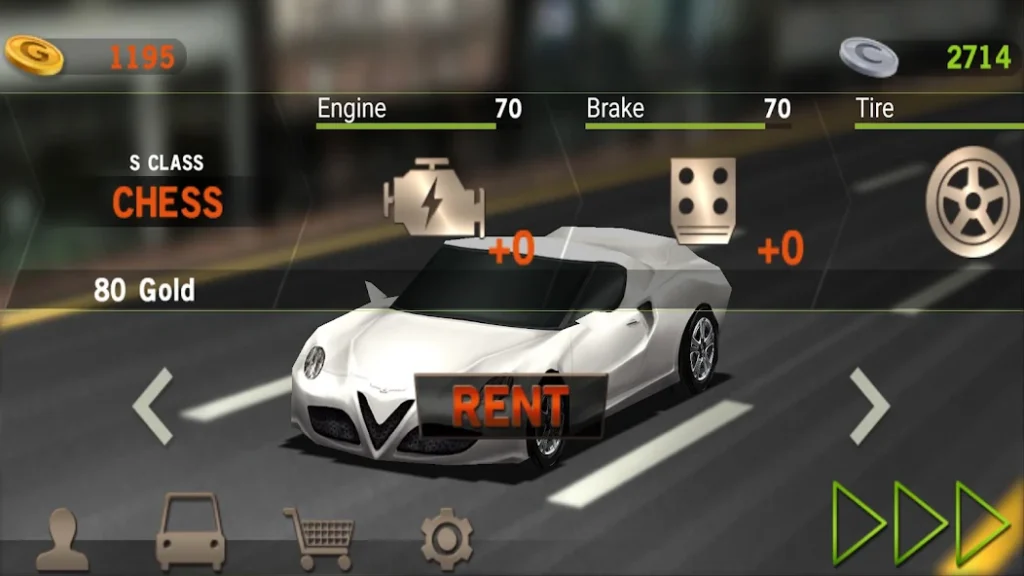
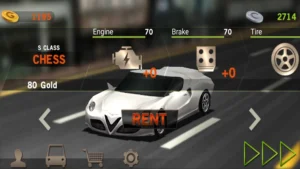
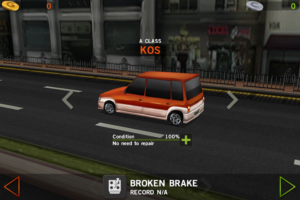
Players can work toward earning in-game currency and explore the vehicle options available through progression. Different cars can make the experience feel fresh and give players goals to work toward.
The game also provides vehicle-related progression, encouraging players to continue completing activities rather than stopping after a few sessions.
Before spending in-game currency, players can consider which available options best suit their preferred style of play. The specific choices and their availability depend on the game’s current version.
This progression system gives the driving experience a longer-term objective while keeping the basic gameplay easy to understand.
5. Online Multiplayer Gameplay
Dr. Driving includes an online multiplayer feature for players who want to experience the game with others.
According to the official Google Play description, players can sign in with a Google account to access online multiplayer. This gives the game an option beyond its single-player challenges.
Multiplayer can add variety because players are no longer playing only against the game’s own challenges. However, online play depends on a working internet connection and the availability of the relevant services.
Players should also remember that online features may behave differently depending on device compatibility, account settings, and server availability.
For anyone who prefers solo play, the single-player experience remains a central part of Dr. Driving.
6. Simple Controls and Driving Mechanics
One of Dr. Driving’s most accessible features is its straightforward control system.
The game is designed for mobile devices, so players interact with the vehicle through on-screen controls. This makes it easier to begin playing without needing a physical steering wheel or a complicated controller setup.
The challenge comes from using those controls effectively while completing the selected activity. Players can gradually become more comfortable with the game’s handling and learn how their inputs affect vehicle movement.
Simple controls are particularly useful for casual players who want to start a game quickly and enjoy a short session.
The presentation may not offer the technical complexity of a dedicated professional driving simulator, but the accessible mechanics help keep Dr. Driving easy to approach.
7. Challenging and Rewarding Gameplay
Dr. Driving combines its driving activities with an in-game reward system.
Completing challenges gives players a reason to continue playing and work toward additional progression. Rewards can contribute to the game’s vehicle-related systems, giving each session a practical objective.
The experience is also suitable for short play sessions. Players can complete an activity, review their progress, and return later without needing to dedicate a long period to a single race.
Advertisements and optional purchases are part of the game’s business model, so the pace of progression may feel different depending on how players choose to engage with those features.
Overall, the combination of short challenges, vehicle progression, and accessible controls helps distinguish Dr. Driving from more elaborate racing simulators.
Dr. Driving Game Download for Android
Players looking for the Dr. Driving Game download for Android should begin with the official Google Play listing.
The official listing identifies SUD Inc. as the developer and provides the current supported version, compatibility information, and available features. Using the official store also makes it easier to check whether the game is compatible with a particular device.
The supplied game information lists version 1.73, updated on August 25, 2025, with Android 6.0 or later as the minimum requirement. Store information can change, so check the live listing before installing.
You can find the official listing here: Dr. Driving Game on Google Play.
Before installing, make sure your device has sufficient storage and that you are selecting the game published by SUD Inc. Avoid unfamiliar download pages that make unsupported claims about premium unlocks or unlimited rewards.
Can You Play Dr. Driving Game Online?
Yes. Dr. Driving supports online multiplayer, according to its official Google Play description.
Players need to sign in with a Google account to access the advertised multiplayer feature. A stable internet connection is also necessary for online functionality.
Online gameplay is different from the offline single-player experience. When playing offline, players can enjoy supported solo activities, but multiplayer features that rely on an internet connection will not be available.
If multiplayer does not work, check your connection, account sign-in, game updates, and whether the service is currently available. Availability can vary, so successful access should not be assumed on every device or network.
Players who mainly want a solo driving game can still consider Dr. Driving because its offline mode is one of the features identified in the official store listing.
Is Dr. Driving an Offline Game?
Yes. The official Google Play listing identifies Dr. Driving as supporting offline single-player gameplay.
This means players can enjoy supported solo activities without keeping their device connected to the internet. It can be convenient during travel or in places where mobile data and Wi-Fi are unavailable.
However, offline support does not mean every feature works without a connection. Online multiplayer requires internet access, and other connected services may also require connectivity.
For the best experience, open the game while connected before relying on its offline functionality, particularly after an update or on a newly installed device.
If you mainly want a casual driving game for short offline sessions, Dr. Driving is worth considering. Just remember that its online features are separate from its offline gameplay.
Dr Driving Game for Laptop and PC
Players interested in Dr. Driving for a laptop or PC have a few compatibility considerations.
The official Google Play listing identifies the game as available on Android and Windows. However, the exact method of access can depend on the device, operating system, and current platform support.
On a compatible Windows device, check the official listing or supported Google Play gaming options to see whether the game is available for your system. Availability can vary by region and device.
Players should avoid assuming that every Android app works natively on every laptop. Compatibility, account access, controls, and performance can differ between systems.
For a smoother experience, check the current platform requirements before installing additional software. Prefer official sources and avoid unofficial installers that make questionable claims or request unnecessary permissions.
A phone or tablet remains the most straightforward choice for players who want the familiar mobile control experience.
Dr. Driving Game vs. Dr. Driving Game 2
Dr. Driving Game and Dr. Driving Game 2 are separate games from SUD Inc. Both belong to the same driving-focused series, but players should check each game’s individual listing rather than assuming they share identical features or requirements.
Dr. Driving is the original game, released in 2013. It focuses on accessible driving gameplay, single-player activities, vehicle progression, and online multiplayer.
Dr. Driving 2 is the sequel. Players interested in the newer entry should review its own store description, screenshots, compatibility information, and available gameplay modes before deciding which game to try.
The right choice depends on personal preference and device compatibility. Someone looking for the original experience may prefer Dr. Driving, while a player curious about the sequel can explore Dr. Driving 2 separately.
Do not confuse the two games when checking updates, ratings, or installation requirements. Each has its own listing and version history.
Is Dr. Driving Free to Play?
Dr. Driving is free to install according to its store listing, but it contains advertisements and optional in-app purchases.
Players can start playing without buying the game upfront. The in-game progression system provides a way to continue exploring its driving activities and vehicle options.
Optional purchases may be offered for players who want additional in-game items or currency. They are not the same as a requirement to pay before opening the game.
Because purchases involve real money, players should review the displayed price and confirm any transaction carefully. Younger players should follow their family’s rules for in-app purchases.
The free-to-play model makes Dr. Driving accessible to a wide audience, although advertisements and optional purchases may affect the overall experience.
Dr. Driving Reviews and Player Experience
Dr. Driving has maintained a large audience over many years. Its official Google Play listing shows more than 500 million downloads and a rating of around 4.3 stars at the time of the available listing snapshot.
Its appeal comes from simple driving mechanics, short activities, and the ability to play supported single-player content offline. Players who prefer straightforward mobile games may appreciate that they can begin playing without learning a complicated control system.
The game also offers online multiplayer for people who want an experience beyond solo challenges. Vehicle progression gives players additional goals, while the casual presentation makes it suitable for shorter sessions.
However, Dr. Driving may not satisfy everyone. Players looking for expansive open worlds, highly detailed vehicle physics, or modern console-level graphics may prefer a more advanced driving simulator.
Advertisements and optional purchases are other factors to consider. As with any mobile game, the experience can depend on device compatibility and personal expectations.
Overall, Dr. Driving is best suited to players who want an accessible driving simulation with offline play and optional online competition.
Dr. Driving Game FAQ
What is Dr. Driving Game?
Dr. Driving is a mobile driving simulation developed by SUD Inc. It features driving challenges, vehicle progression, offline single-player gameplay, and online multiplayer.
Can I play Dr. Driving offline?
Yes. The game supports offline single-player gameplay, but online multiplayer requires an internet connection.
Is Dr. Driving available for PC?
The official listing identifies Android and Windows availability. Check the current listing and supported platform options to confirm compatibility with your particular PC.
What is the difference between Dr. Driving and Dr. Driving 2?
Dr. Driving is the original game, while Dr. Driving 2 is its sequel. Check their separate listings for current features, requirements, and availability.
Is Dr. Driving free?
Yes. It is free to install and includes advertisements and optional in-app purchases.
What is the latest version of Dr. Driving?
The supplied information lists version 1.73, updated on August 25, 2025. Check the official store listing for any newer version or changes.
Final Thoughts
Dr. Driving Game remains a recognizable choice for players who want a simple mobile driving simulation. Its accessible controls, driving challenges, vehicle progression, offline single-player mode, and online multiplayer give it several ways to keep players engaged.
The game is not designed to be a full-scale open-world simulator. Instead, it focuses on short driving activities that are easy to start and suitable for casual play.
With more than 500 million downloads shown on its Google Play listing, Dr. Driving has reached a substantial audience since its 2013 release. Players interested in trying it should check the official listing for current compatibility and version details.
For anyone looking for a straightforward driving game with offline support and optional online play, Dr. Driving is a practical title to explore.
Players who enjoy building and simulation games can also explore our Block Tech guide for custom vehicle building, sandbox gameplay, and creative challenges.
Images
Related apps




-
 Dr. Driving Game: 7 Exciting Features and Ultimate Driving Guide
- Cozy Cat Hotel 7 Adorable Features and Relaxing Idle Tycoon Guide
- Block Tech: 7 Exciting Features of the Ultimate Sandbox Car Builder
- Zomline Survival 7 Exciting Features and Zombie Strategy Guide
- Zombie Highway 2 Game: 7 Thrilling Features, Gameplay & Zombie Guide
- SimCity BuildIt: 7 Exciting Features, Gameplay & City-Building Guide
- Endless Racing Game: 7 Exciting Highway Racer Pro Features Gameplay
- Open World Racing Game: 15 Best Car Games to Explore
- Ragdoll Games: 15 Best Ragdoll Physics Games to Try
- Adventure Time Card Wars: 7 Exciting Features, Cards & Gameplay Guide


